
Sunshades in Revit: The Evolution from a Tool to a Native BIM Workflow
How we went from a web application to a C# Add-in to truly integrate parametric design into the heart of our projects.
Rafael Molina
8/26/20252 min read
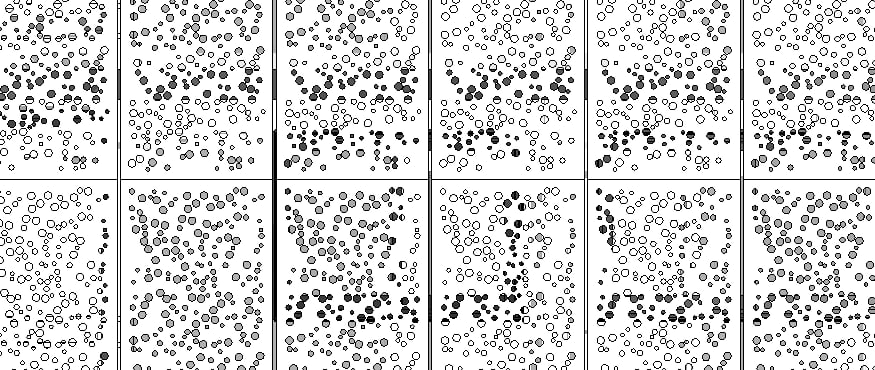
In the world of BIM, one of the biggest sources of friction remains the bridge between conceptual design tools and the Revit production environment. Exporting, importing, and then dealing with "dumb" geometry that doesn't respond to our model is a headache that all of us at "Aspera BIM" know all too well.
A while ago, I presented an initial solution to this problem: a web-based tool for generating sunshade patterns. It was an excellent experiment and a proof-of-concept that showed it was possible to automate a tedious task. However, the "harsh" truth is that it was still a half-measure. The workflow still required leaving Revit, which broke the integrity of the BIM process.
After listening to feedback and analyzing the limitations, the conclusion was clear: the real solution wasn't to build a bridge, but to build directly at the destination.
The Necessary Evolution: A Native Revit Add-in
We decided to take the leap and rewrite the tool from scratch, but this time as a native Add-in using C# and the Revit API. The goal was simple yet ambitious: to create a parametric design experience that was fluid, powerful, and, above all, 100% integrated.
The result is a tool that is no longer just a generator, but an extension of Revit's own capabilities.
You can see it in action here:
As you can see, the difference is radical. The main advantages of this new approach are:
Total Integration: The tool operates in a dockable window within Revit. There are no external windows, no program switching. Everything happens in a single environment.
Native Element Creation: Unlike importing a DXF or SAT file, the add-in generates native Revit elements. This means the geometry is clean, lightweight, and most importantly, intelligent. It can be scheduled, tagged, and managed just like any other element in the model.
Real-Time Parametric Response: This is the true power of BIM. When you change a parameter in the add-in's interface (like the perforation diameter or the opening percentage), the 3D model updates instantly. No regenerating, no re-importing.
Why C#? The Advantage of Native Programming
The decision to use C# and the Revit API was no accident. While other solutions like Dynamo are incredibly powerful, a compiled add-in offers a level of performance, stability, and a much more polished and controlled end-user experience. It allows for the creation of custom user interfaces and complex interactions that feel like another part of the software itself.
This approach allows us to deliver a robust, fast tool that doesn't require the end-user to be an expert in visual programming.
Join the Beta: Help Us Build the Tool You Need
This project was born from a real need, and we want it to continue growing the same way. That's why we are opening a Beta Testers program for an exclusive group of professionals and students who want to use the add-in in their projects and, with their feedback, help us shape the future of the tool.
We are looking for people who face these design challenges and want to be part of creating a polished and genuinely useful solution for the industry.
If you are interested in getting early access and being a key voice in this development, please sign up via the following link:
The Future is Integrated
This project reinforces our philosophy at Aspera BIM: the best solutions are those that eliminate friction and enhance existing workflows rather than replacing them. Automation and parametric design shouldn't be isolated processes, but intrinsic capabilities of our BIM tools.
We would love to know what you think. What other repetitive processes in your daily work do you believe could be automated with a native tool in Revit? Let us know in the comments!
